
Network Conditioning
Network Conditioning lets you add artificial latency to specific requests, simulating real-world conditions like slow APIs, high-latency servers, or sluggish network connections.
How It Works
Section titled “How It Works”Network Conditioning rules add configurable delays at two points in the request lifecycle:
- Request delay — pauses before the request is forwarded to the server, simulating slow upload or connection setup
- Response delay — pauses after the server response is received but before it’s sent to the client, simulating slow download or server processing time
Both delays are additive: the total latency your app observes is request delay + actual server time + response delay.
Delays are applied per-rule based on URL pattern matching — you can target specific endpoints rather than throttling all traffic.
Creating a Rule
Section titled “Creating a Rule”-
Open the Network Conditioning tool from the toolbar
-
Click Add Rule
-
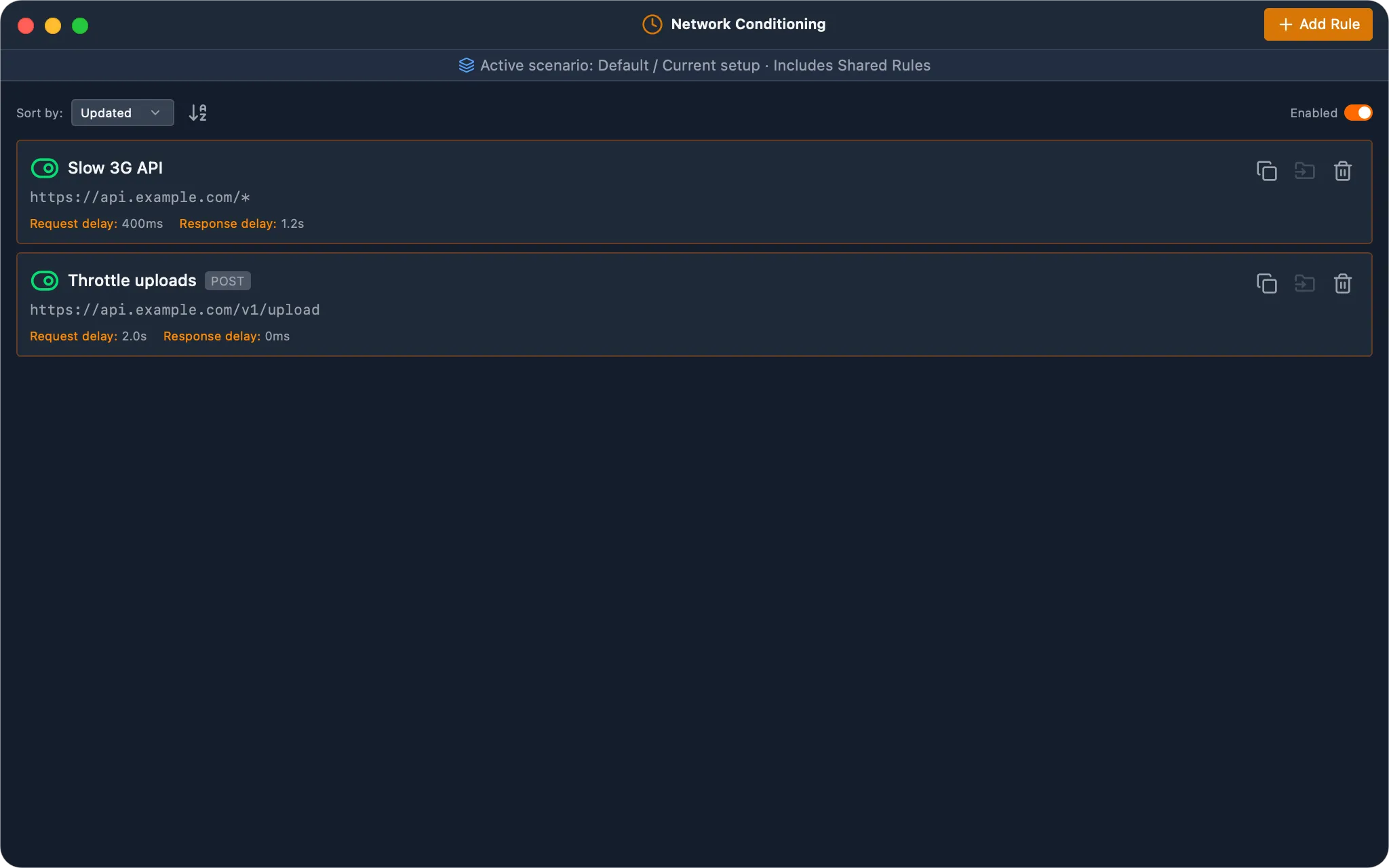
Fill in the rule details:
- Name — a descriptive label (e.g., “Slow API”)
- URL Pattern — a glob pattern to match URLs (e.g.,
https://api.example.com/*) - Method — optionally restrict to a specific HTTP method (GET, POST, PUT, etc.), or leave as “Any” to match all methods
- Request Delay — milliseconds to delay before sending the request (e.g.,
500) - Response Delay — milliseconds to delay before delivering the response (e.g.,
500)
-
Enable the rule
Managing Rules
Section titled “Managing Rules”- Toggle individual rules on or off using the toggle switch next to each rule
- Toggle all rules at once using the global enable/disable button
- Sort rules by name, creation date, or last updated date
- Edit or delete rules at any time
When multiple rules match the same request, only one applies: the first in precedence order. A rule with a higher priority wins. Within the same priority, the oldest rule wins. Sorting the panel does not change which rule applies. Priority is currently set through the MCP weproxa_rules_setPriority tool.
Example Configurations
Section titled “Example Configurations”Here are some common delay values for simulating different conditions:
| Scenario | Request Delay | Response Delay |
|---|---|---|
| Slow API response | 0 ms | 2000 ms |
| High-latency connection | 500 ms | 500 ms |
| Slow upload | 1000 ms | 0 ms |
| Very slow mobile | 1500 ms | 3000 ms |
Use Cases
Section titled “Use Cases”- Performance testing — verify your app loads acceptably when APIs are slow
- Loading state testing — ensure loading spinners and skeletons display correctly
- Timeout testing — verify timeout handling with high-latency conditions
- Race condition debugging — slow down specific requests to expose timing issues
- Mobile simulation — approximate slow mobile network conditions on desktop