
Block List
The Block List feature lets you prevent specific requests from being sent to the server — useful for testing how your app handles missing resources or blocked APIs.
How It Works
Section titled “How It Works”When a request matches a Block List rule, Weproxa intercepts it and returns an HTTP 403 Forbidden response instead of forwarding the request to the server. The blocked request still appears in the request list, marked with a “blocked” status, so you can see exactly which requests were caught.
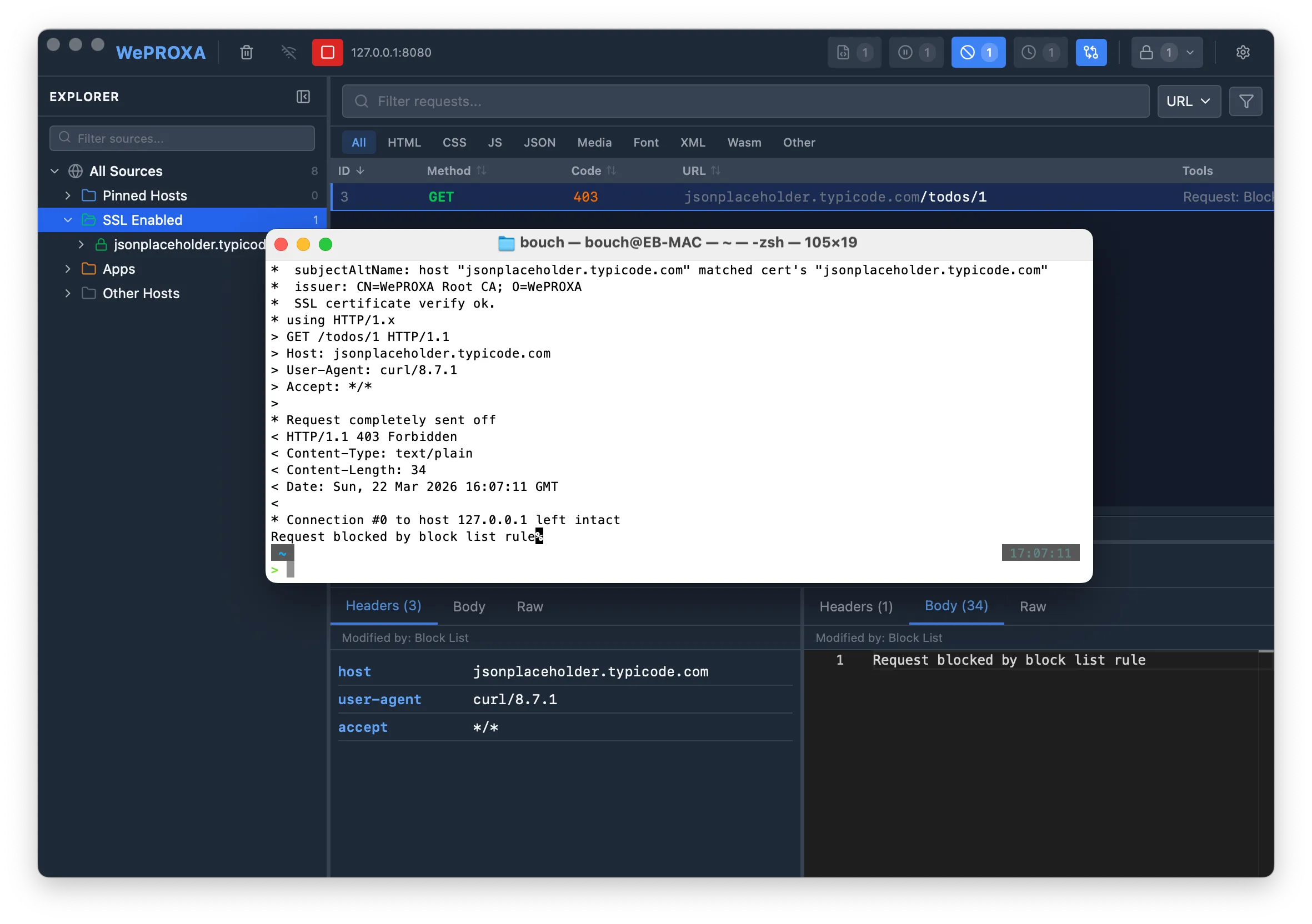
Creating a Block Rule
Section titled “Creating a Block Rule”-
Open the Block List tool from the toolbar
-
Click Add Rule
-
Fill in the rule details:
- Name — a descriptive label for the rule (e.g., “Block Analytics”)
- URL Pattern — a glob pattern to match URLs (e.g.,
**/ads/**,*tracking.example.com*) - Method — optionally restrict to a specific HTTP method (GET, POST, PUT, etc.), or leave as “Any” to match all methods
-
Enable the rule
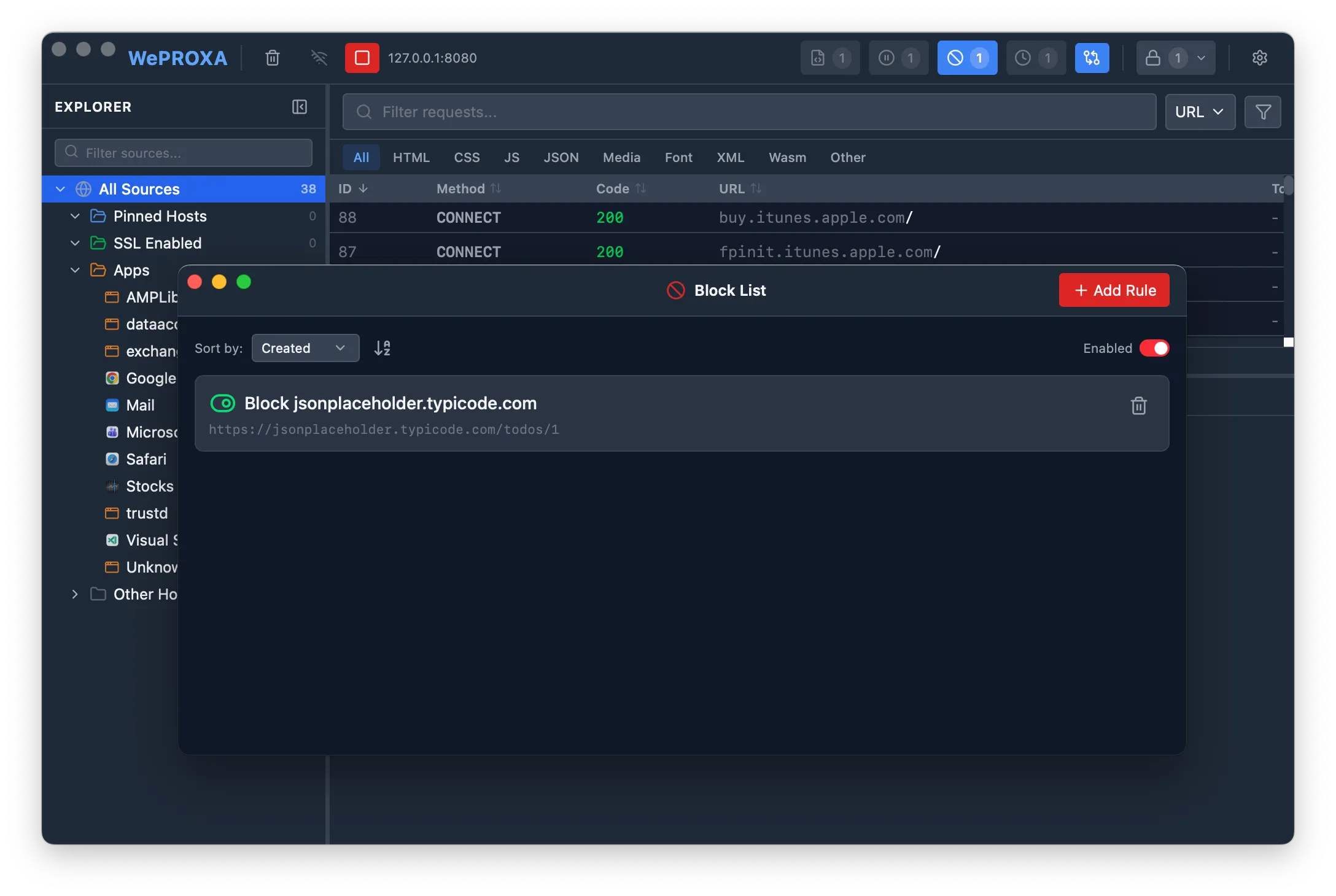
Managing Rules
Section titled “Managing Rules”- Toggle individual rules on or off using the toggle switch next to each rule
- Toggle all rules at once using the global enable/disable button
- Sort rules by name, creation date, or last updated date
- Edit or delete rules at any time
When multiple rules match the same request, the oldest rule (earliest creation date) takes priority.
Pattern Matching
Section titled “Pattern Matching”Block List rules support glob patterns for flexible URL matching:
- Wildcard paths —
**/ads/**matches any URL containing/ads/ - Domain-wide —
*tracking.example.com*blocks all requests to a domain - Exact URLs —
https://api.example.com/v1/telemetryblocks a specific endpoint
Use Cases
Section titled “Use Cases”- Test error handling — see how your app behaves when an API returns 403
- Block analytics/tracking — prevent analytics requests during development
- Isolate dependencies — block third-party services to test in isolation
- Simulate outages — test resilience against service failures