
Block List
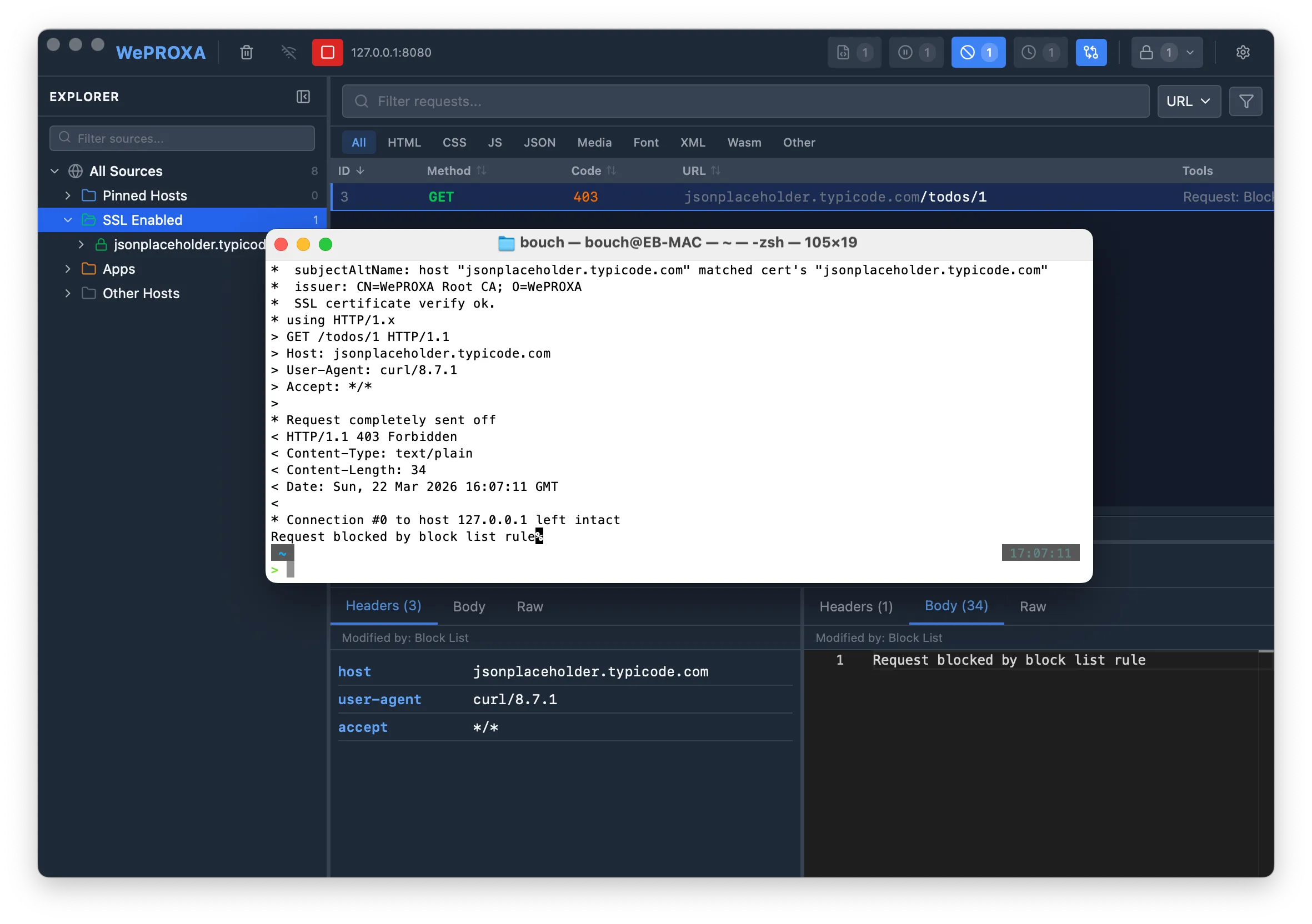
The Block List prevents matching traffic from reaching its destination. Use it to test HTTP error handling, retries, timeouts, offline states, and behavior that should differ between applications or remote devices.
How It Works
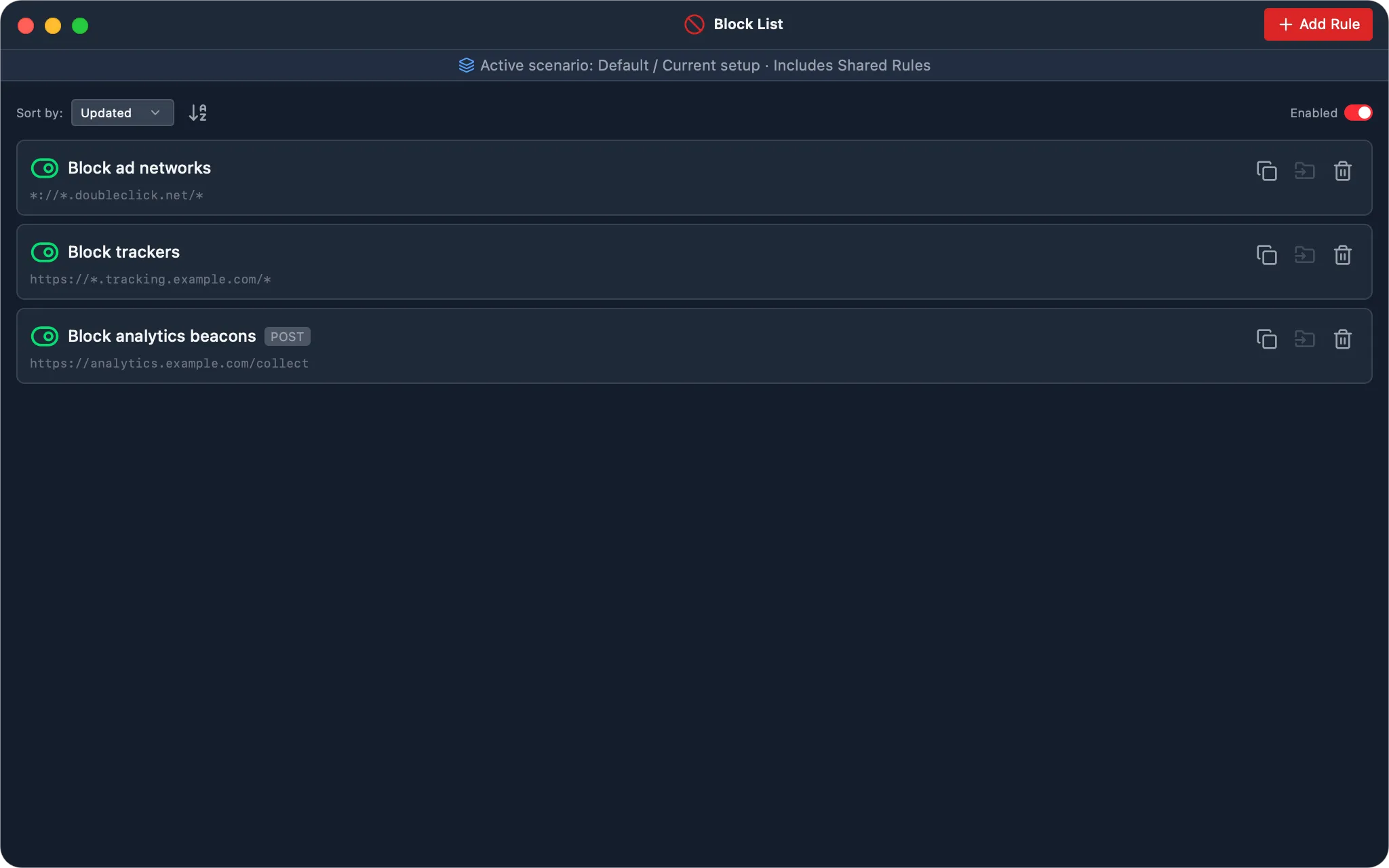
Section titled “How It Works”Every Block List rule combines a URL pattern, an optional method, an optional client, and an action. Matching happens before WePROXA dials the origin, so blocked traffic never reaches the destination.
The request remains visible in the request list under the Block List tool. What the client sees depends on the action:
| Action | Client behavior | Best for |
|---|---|---|
| 403 Forbidden | WePROXA returns a synthetic HTTP 403 response. |
Testing an explicit server rejection. |
| Close connection | WePROXA drops the connection without an HTTP response. | Testing resets, unexpected EOFs, and immediate offline handling. |
| Hold then close | WePROXA waits for the configured duration, then drops the connection. | Testing client timeouts, retry backoff, and silent network loss. |
403 Forbidden is the default and preserves the behavior of rules created by older versions. Hold then close defaults to 90 seconds and can be set from 1 millisecond up to 300,000 milliseconds (five minutes). The client may apply its own shorter timeout first.
For a custom HTTP status, response headers, or body, create a Map Local rule with an inline response instead.
Creating a Block Rule
Section titled “Creating a Block Rule”- Open the Block List tool from the toolbar.
- Click Add Rule.
- Enter a descriptive Name and a glob-style URL Pattern.
- Optionally choose an HTTP Method. Leave it at Any to match every method.
- Choose the failure Action and, for Hold then close, its duration.
- Optionally restrict Client to one local application or remote device.
- Enable and save the rule.
Targeting One App or Device
Section titled “Targeting One App or Device”The Client field supports three scopes:
- Any client — match traffic from every local app and remote device.
- Application — match one exact local application name, such as
SafariorGoogle Chrome. - Remote device IP — match one exact peer address, such as
192.168.1.5.
The selector suggests applications and device addresses WePROXA has observed and remembers them for later rule editing. Choosing a suggestion fills an exact target; it does not create a wildcard.
Remote IP attribution is available directly from the accepted connection. Local application attribution depends on the operating system resolving the owning process. If that lookup fails, an application-scoped rule fails open and does not block the request. Check the rule’s hit count to confirm that a client-scoped rule is firing.
Device names are not accepted as targets because they can appear or change after reverse-DNS lookup. Use the exact IP address shown by WePROXA.
HTTPS and CONNECT Tunnels
Section titled “HTTPS and CONNECT Tunnels”WePROXA applies Block List rules before opening an upstream CONNECT tunnel, so it can block encrypted traffic even when SSL interception is not enabled. A blind tunnel exposes only:
- the
CONNECTmethod; - a URL shaped like
https://host:port; - the local application or remote IP when attribution is available.
It does not expose the encrypted path or the request’s eventual HTTP method. A rule such as https://api.example.com/private/* or a rule restricted to GET therefore cannot match that undecrypted tunnel.
When WePROXA can prove that a saved rule has this gap, the form and MCP listing show a tunnel coverage notice. Fix it by either:
- adding the host to SSL Interception so the HTTP request can be matched; or
- widening the rule to cover
https://host:portand clearing the method filter, or usingCONNECTwhen only the tunnel should be blocked.
Client scope still works at CONNECT time, so a host-only rule can block one app or device without decrypting the traffic.
Pattern Matching and Precedence
Section titled “Pattern Matching and Precedence”Block List rules use glob patterns:
- Wildcard paths —
**/ads/**matches URLs containing/ads/after WePROXA decrypts the host. - Domain-wide —
*tracking.example.com*covers the domain across visible URLs. - Exact URLs —
https://api.example.com/v1/telemetrymatches one decrypted endpoint.
WePROXA validates the pattern as you type. Patterns cannot contain spaces.
When several enabled rules match, the first rule in canonical precedence order wins:
- Higher explicit priority.
- Older creation time within the same priority band.
- Rule ID as a stable tiebreaker.
Sorting the panel does not change runtime precedence. Priority is currently set through the MCP weproxa_rules_setPriority tool.
Managing Rules
Section titled “Managing Rules”- Toggle individual rules or the whole Block List on and off.
- Edit, duplicate, copy to another Workspace, or delete rules.
- Sort the panel without changing which overlapping rule wins.
- Review hit counts through
weproxa_blockList_listRuleswhen validating client scope or tunnel coverage.
Free accounts are limited to 10 Block List rules. Upgrade to Pro for unlimited rules.
Use Cases
Section titled “Use Cases”- Test explicit errors — return a 403 without contacting the origin.
- Exercise retry logic — close the connection immediately and observe retry behavior.
- Test timeout UX — hold traffic long enough for the client to time out on its own.
- Simulate one-device outages — block an endpoint only for a phone or tablet on the LAN.
- Isolate one application — block analytics from a browser while leaving other clients untouched.
- Stop encrypted destinations — block a host-level CONNECT tunnel without decrypting its traffic.
See MCP Integration → Block List for the corresponding automation tools and wire formats.