
Repeat Requests
The Repeat feature lets you resend any captured request — exactly as-is or with modifications — making it easy to test APIs and debug edge cases.
Repeated requests use the same upstream connection handling as captured traffic. HTTPS repeats can negotiate HTTP/2 when the origin supports it, while requests carrying upgrade headers use HTTP/1.1 semantics so WebSocket-style handshakes remain compatible.
Quick Repeat
Section titled “Quick Repeat”To instantly replay a request without changes:
- Right-click on any request in the request list
- Select Repeat Now
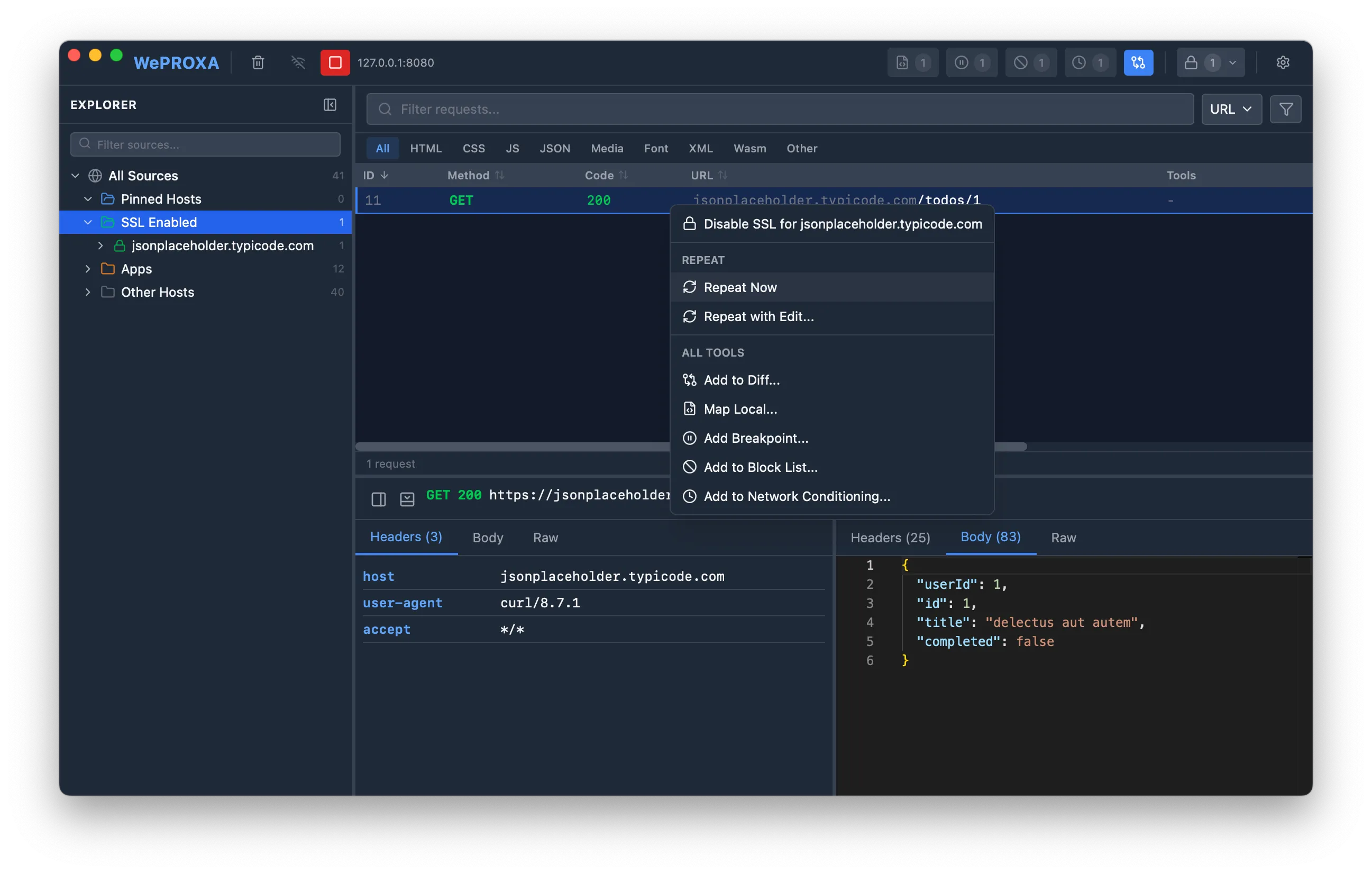
The request is resent immediately with the original method, URL, headers, and body. The repeated request appears in the main request list alongside your other captured traffic.
Repeat with Editing
Section titled “Repeat with Editing”To modify a request before resending:
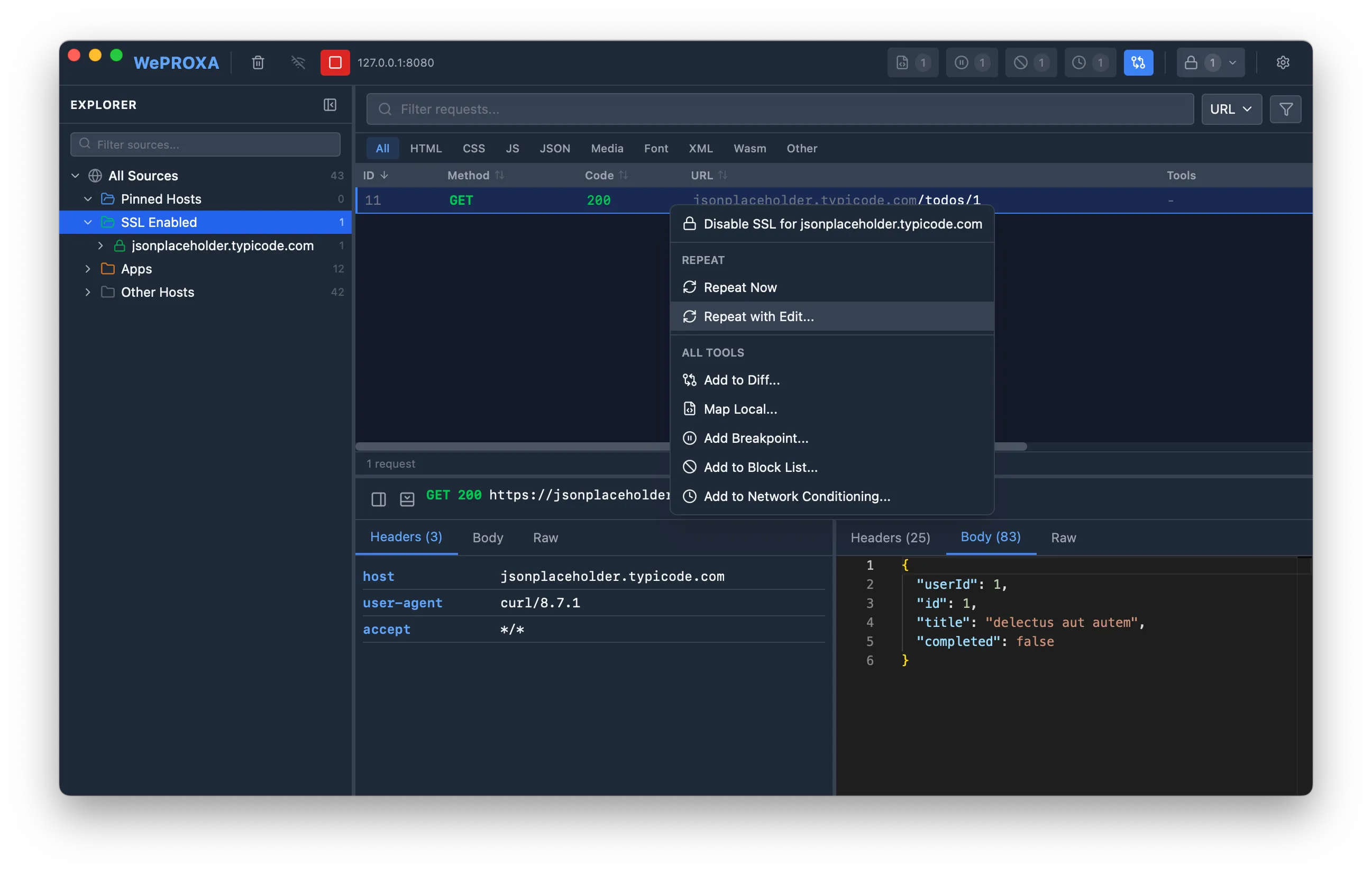
- Right-click on any request in the request list
- Select Repeat with Edit…
- A separate editor window opens with the original request pre-filled
- Modify the request as needed
- Click Send to execute
What You Can Modify
Section titled “What You Can Modify”- Method — switch between GET, POST, PUT, PATCH, DELETE, HEAD, OPTIONS
- URL — change the target endpoint
- Headers — add, edit, or remove request headers
- Body — edit the request payload with syntax highlighting (language auto-detected from
Content-Type)

When you edit a JSON body, WePROXA validates it inline: a Valid JSON indicator confirms well-formed content, and a malformed body shows an Invalid JSON message with the parser error and a Line n, Col n link that jumps to the error.
Compressed Request Bodies
Section titled “Compressed Request Bodies”If the original request body was compressed (gzip, deflate, br, or zstd), WePROXA decodes it so you can read and edit it as plain text, then re-encodes it with the same Content-Encoding when you send. If a body can’t be decoded losslessly, WePROXA tells you and resends the original bytes untouched — unless you replace the body yourself. In that case, replace the body before changing the Content-Encoding header.
Viewing Results
Section titled “Viewing Results”After each send, the repeat editor shows the response inline so you can inspect the result without leaving the window. The response summary includes the status, reason phrase, duration, body size, and new request ID.
Use the response tabs to inspect:
- Headers — response headers returned by the server
- Body — decoded response body with syntax highlighting when the content type is recognized
- Raw — status line, headers, and body in one copy-friendly view
Large response bodies are summarized instead of rendered eagerly to keep the repeat editor responsive. Repeated requests still appear in the main request list, so you can save, diff, or inspect them later from the normal Details Panel.
You can click Send multiple times from the same editor window to resend the request repeatedly, for example when testing different header values or body payloads.
Use Cases
Section titled “Use Cases”- API testing — quickly test different payloads against an endpoint
- Debugging — replay a failed request to reproduce an issue
- Exploration — modify parameters to understand API behavior
- Authentication testing — resend requests with different auth tokens