
Breakpoints
Breakpoints let you pause requests or responses mid-flight, inspect them, make changes, and then continue — perfect for debugging and testing.
How Breakpoints Work
Section titled “How Breakpoints Work”- Create a rule that matches specific requests (by URL pattern, method, etc.)
- When a matching request is made, Weproxa pauses it before sending
- You can inspect and edit the request URL, headers, and body
- Resume the request to send it (modified or unchanged) to the server
- Optionally, also break on the response to modify the status code, headers, and body before it reaches the client
Multiple breakpoints can fire concurrently — each opens its own editor window, so you can inspect and modify several paused requests or responses at the same time.
Creating a Breakpoint
Section titled “Creating a Breakpoint”-
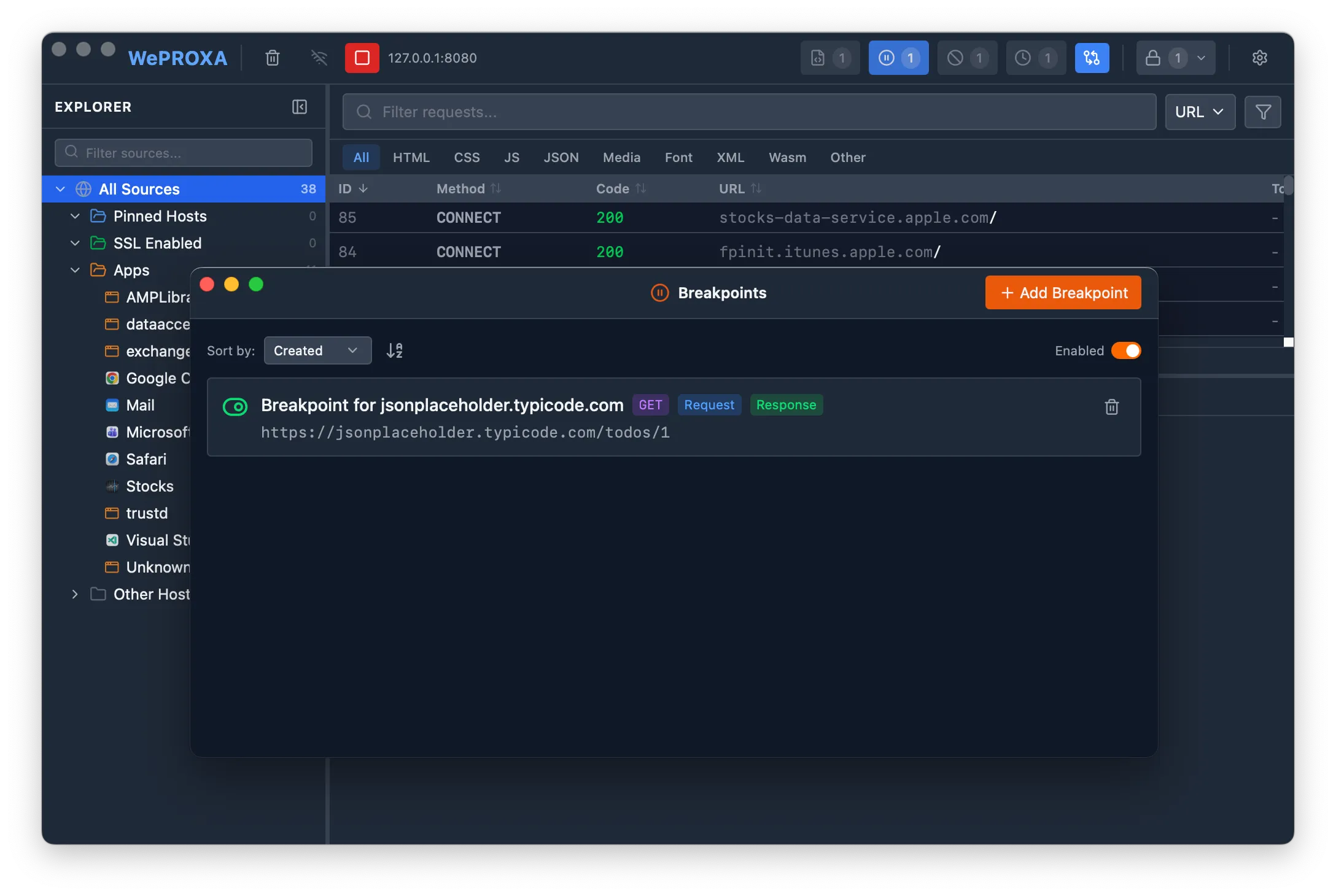
Open the Breakpoints tool from the toolbar
-
Click Add Rule
-
Fill in the rule details:
- Name — a descriptive label for the rule
- URL Pattern — a glob pattern to match URLs (e.g.,
*api.example.com/users*) - Method — optionally restrict to a specific HTTP method (GET, POST, PUT, etc.), or leave as “Any” to match all methods
-
Choose whether to break on request, response, or both (at least one must be selected)
-
Enable the rule
Managing Rules
Section titled “Managing Rules”- Toggle individual rules on or off using the toggle switch next to each rule
- Toggle all rules at once using the global enable/disable button
- Sort rules by name, creation date, or last updated date
- Edit or delete rules at any time
Editing a Paused Request
Section titled “Editing a Paused Request”When a breakpoint fires on the request phase, an editor window opens with:
-
URL — modify the target URL to redirect the request
-
Headers — add, edit, or remove request headers
-
Body — edit the request body with syntax highlighting (language auto-detected from
Content-Type)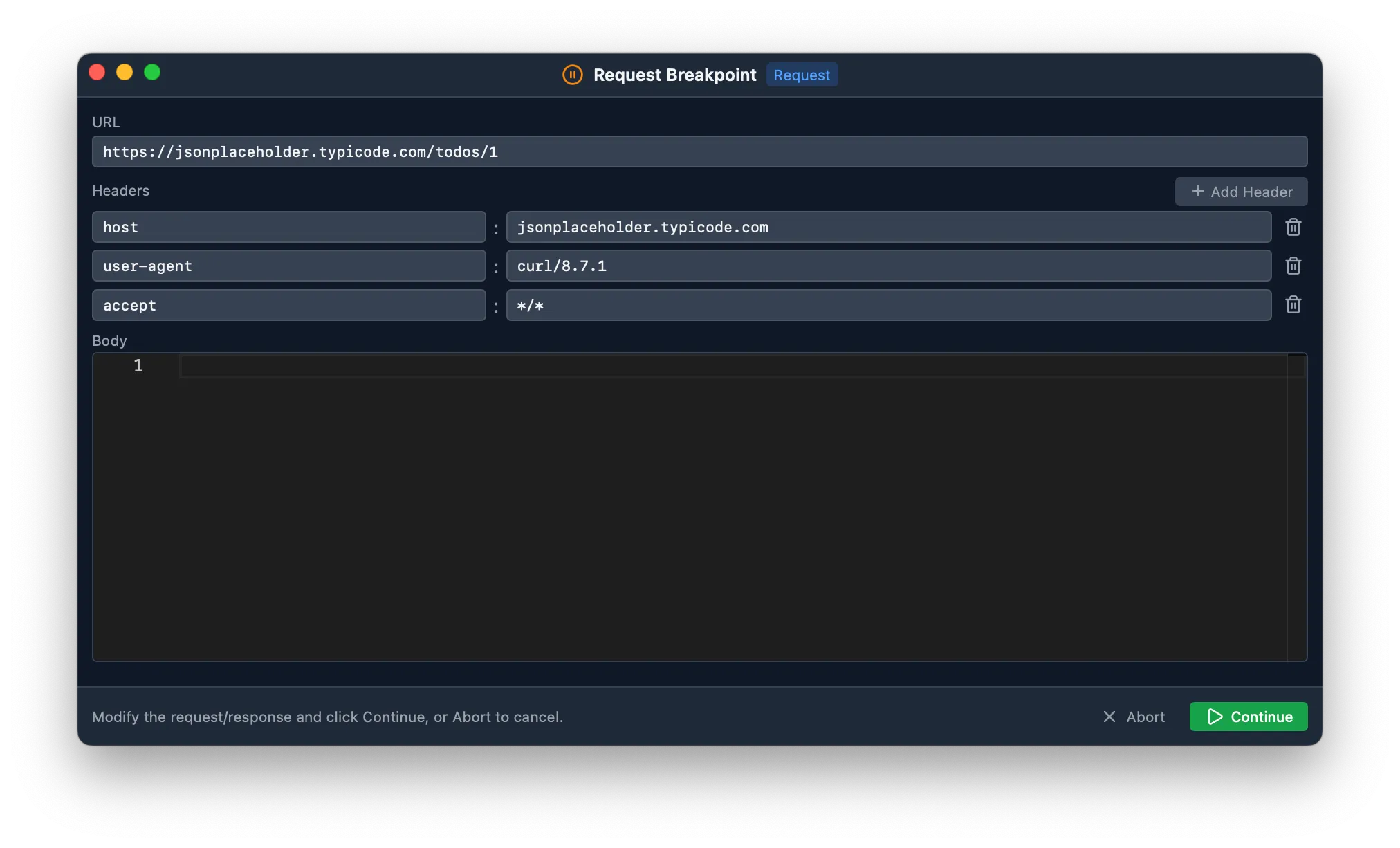
Click Continue to send the (modified or unchanged) request, or Abort to drop it entirely.
Editing a Paused Response
Section titled “Editing a Paused Response”When a breakpoint fires on the response phase, the editor window shows:
-
URL — displayed as read-only (the request has already been sent)
-
Status Code — change the HTTP status code before it reaches the client
-
Headers — add, edit, or remove response headers
-
Body — edit the response body (already decompressed for easy editing)
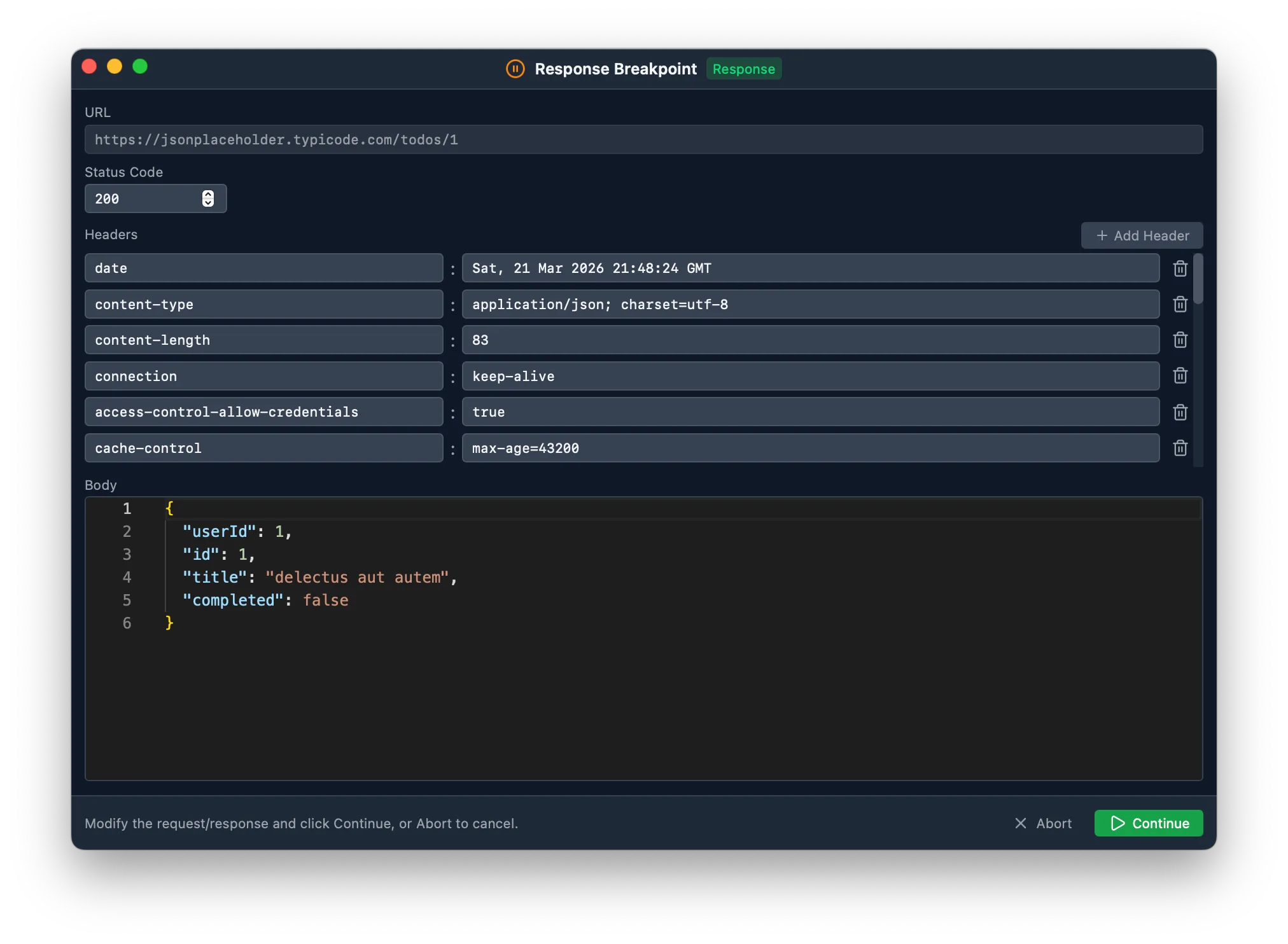
Click Continue to forward the response to the client, or Abort to cancel delivery.
Timeout
Section titled “Timeout”If a paused request or response is not resumed within 5 minutes, the breakpoint times out automatically and the original request or response proceeds without modifications.
Use Cases
Section titled “Use Cases”- Test how your app handles different API responses
- Inject authentication headers for testing
- Simulate error responses by changing the status code and body — without modifying server code
- Debug request payloads before they reach the server
- Redirect requests to a different endpoint by modifying the URL