
Map Local
Map Local lets you serve local files in place of remote resources — without changing your server or application code.
How It Works
Section titled “How It Works”When a request matches a Map Local rule, Weproxa intercepts it and responds with the contents of a local file instead of forwarding the request to the remote server. The request never reaches the origin — the response is served entirely from disk.
If the local file is not found, the request falls through and is forwarded to the origin server as normal.
Creating a Map Local Rule
Section titled “Creating a Map Local Rule”-
Open the Map Local tool from the toolbar
-
Click Add Rule
-
Fill in the rule details:
- Name — a descriptive label for the rule
- URL Pattern — a glob pattern to match URLs (e.g.,
https://api.example.com/v1/*) - Method — optionally restrict to a specific HTTP method (GET, POST, PUT, etc.), or leave as “Any” to match all methods
-
Choose the local file to serve:
- Browse to select an existing file
- Create File to generate a new mock file (saved to
~/.weproxa/tools/mocks/)
-
Enable the rule
Managing Rules
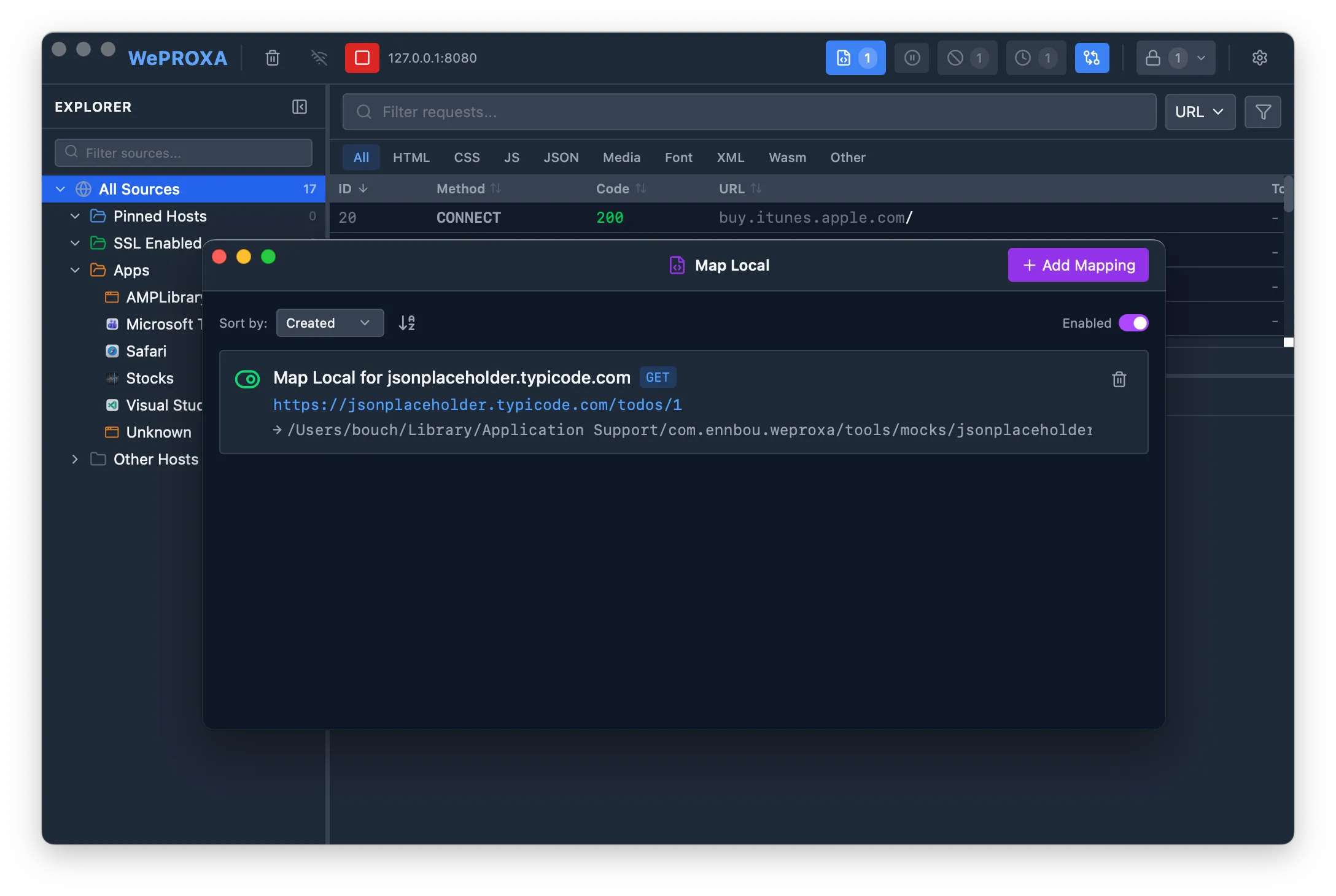
Section titled “Managing Rules”- Toggle individual rules on or off using the toggle switch next to each rule
- Toggle all rules at once using the global enable/disable button
- Sort rules by name, creation date, or last updated date
- Edit or delete rules at any time
Pattern Matching
Section titled “Pattern Matching”Map Local rules support flexible URL matching with glob patterns:
- Exact URLs —
https://api.example.com/data.json - Glob patterns —
https://api.example.com/v1/* - Host-only —
*api.example.com*to match all requests to a specific domain
Response File Format
Section titled “Response File Format”The local file can be a plain file or a full HTTP response with custom status code and headers.
Plain File
Section titled “Plain File”If the file contains just the response body, Weproxa serves it with a 200 status code and a default Content-Type of application/octet-stream:
{ "message": "Hello from local file" }HTTP Response Format
Section titled “HTTP Response Format”To control the status code and headers, write the file in HTTP response format:
HTTP/1.1 200 OKContent-Type: application/jsonX-Custom-Header: my-value
{ "message": "Hello with custom headers" }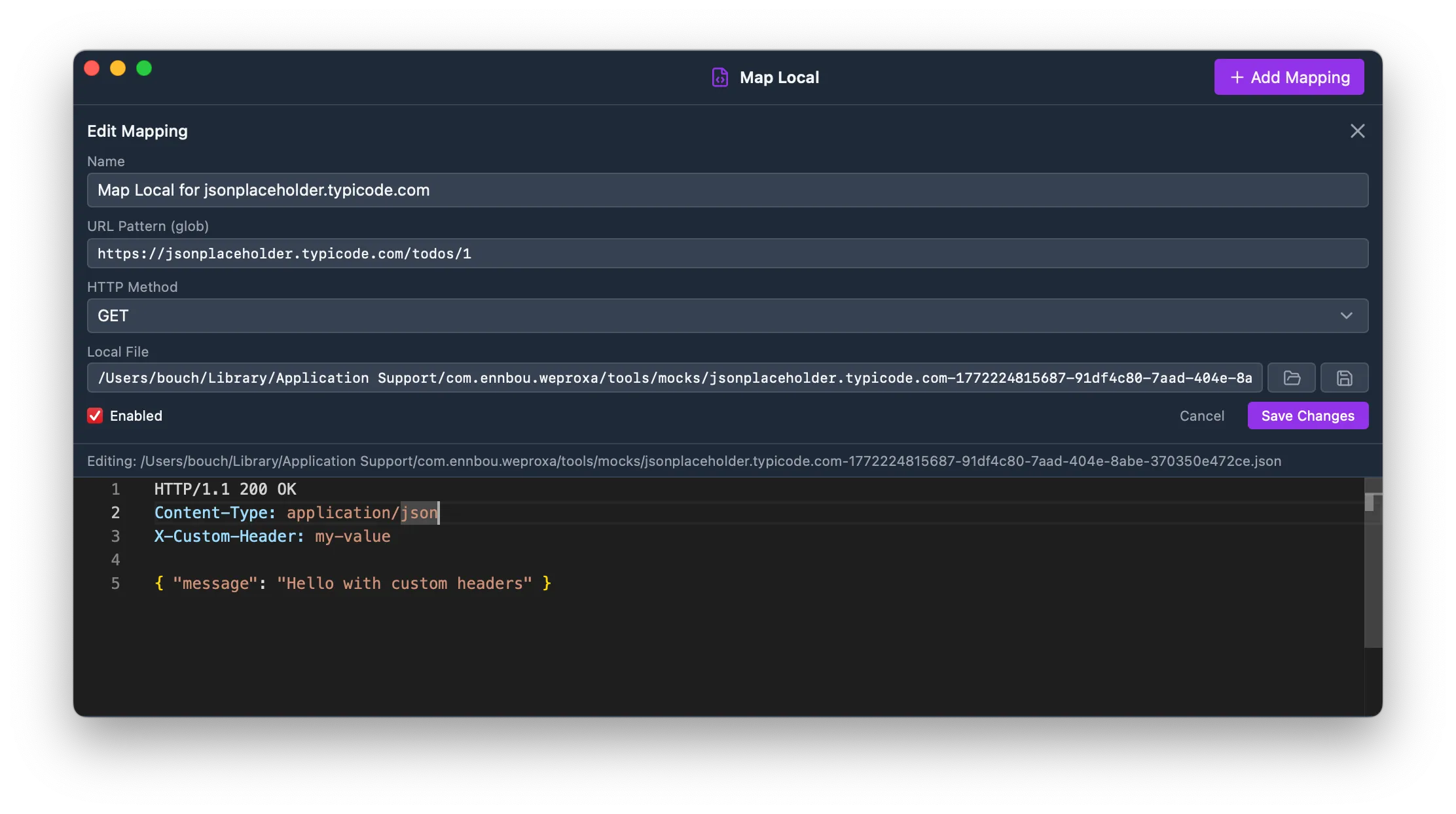
The status line (HTTP/1.1 NNN) and headers are parsed automatically. Everything after the blank line is the response body.
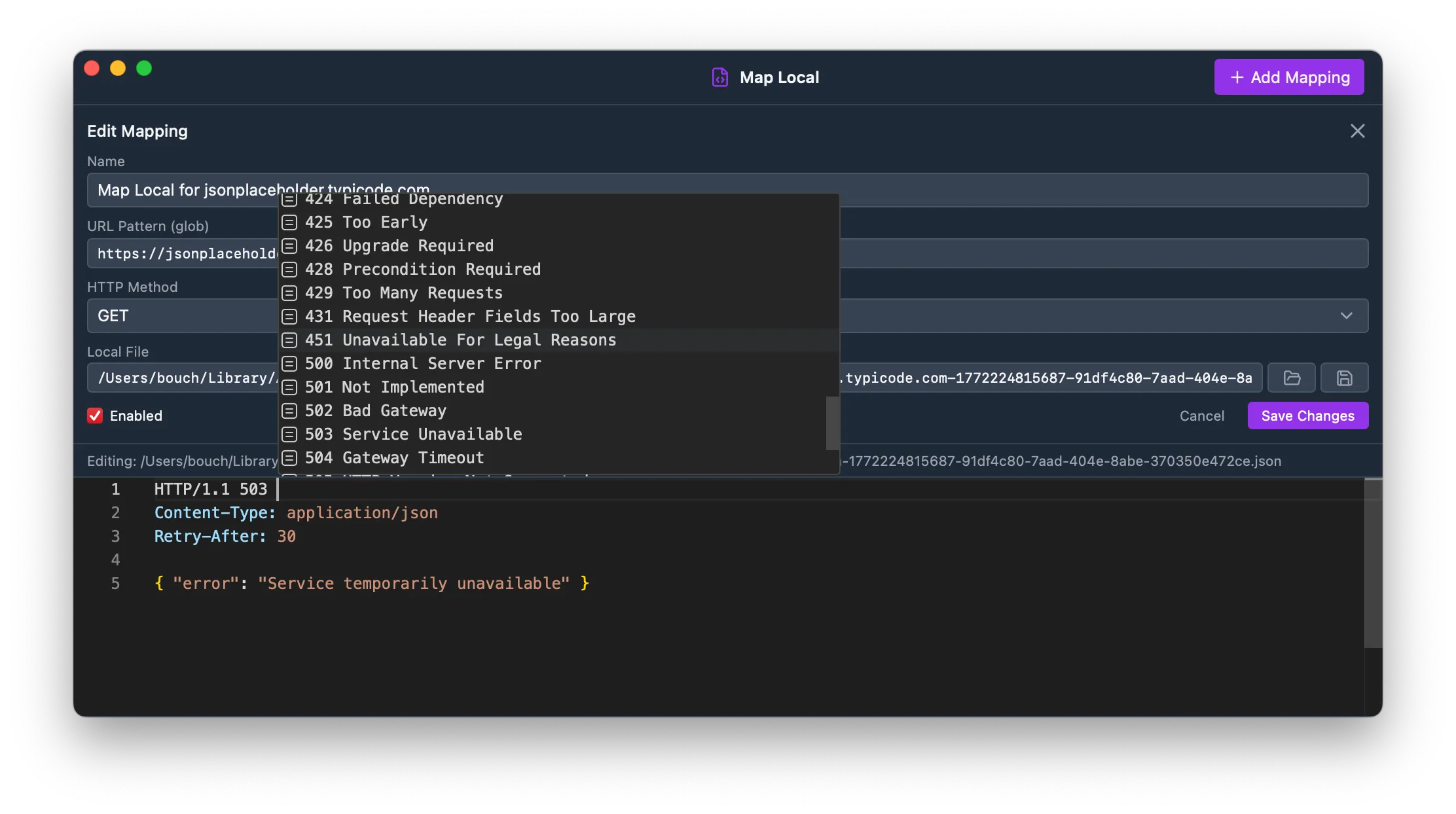
This lets you simulate error responses, redirects, or custom headers without any server changes:
HTTP/1.1 503 Service UnavailableContent-Type: application/jsonRetry-After: 30
{ "error": "Service temporarily unavailable" }
supports autocompletion for HTTP headers — just start typing a header name and press Ctrl+Space to see suggestions based on common headers and the headers from the original response.
Editing Response Files
Section titled “Editing Response Files”The Map Local panel includes a built-in Monaco editor with syntax highlighting for editing your response files directly. The editor auto-detects the language (JSON, HTML, etc.) from the file content.
Press Cmd+S (macOS) or Ctrl+S (Windows/Linux) to save changes to the file.
File Watching
Section titled “File Watching”Weproxa automatically watches your local files for changes. When you edit a mapped file in an external editor, the updated content is picked up immediately — no need to restart or reload rules.
Use Cases
Section titled “Use Cases”- Frontend development — serve local JS/CSS while using a production API
- API mocking — return local JSON files with custom status codes and headers
- Testing — simulate error responses (404, 500, 503) without changing server code
- Offline development — work without network access by serving cached responses