
Network Conditioning
Network Conditioning lets you add artificial latency to specific requests, simulating real-world conditions like slow APIs, high-latency servers, or sluggish network connections.
How It Works
Section titled “How It Works”Network Conditioning rules add configurable delays at two points in the request lifecycle:
- Request delay — pauses before the request is forwarded to the server, simulating slow upload or connection setup
- Response delay — pauses after the server response is received but before it’s sent to the client, simulating slow download or server processing time
Both delays are additive: the total latency your app observes is request delay + actual server time + response delay.
Delays are applied per-rule based on URL pattern matching — you can target specific endpoints rather than throttling all traffic.
Creating a Rule
Section titled “Creating a Rule”-
Open the Network Conditioning tool from the toolbar
-
Click Add Rule
-
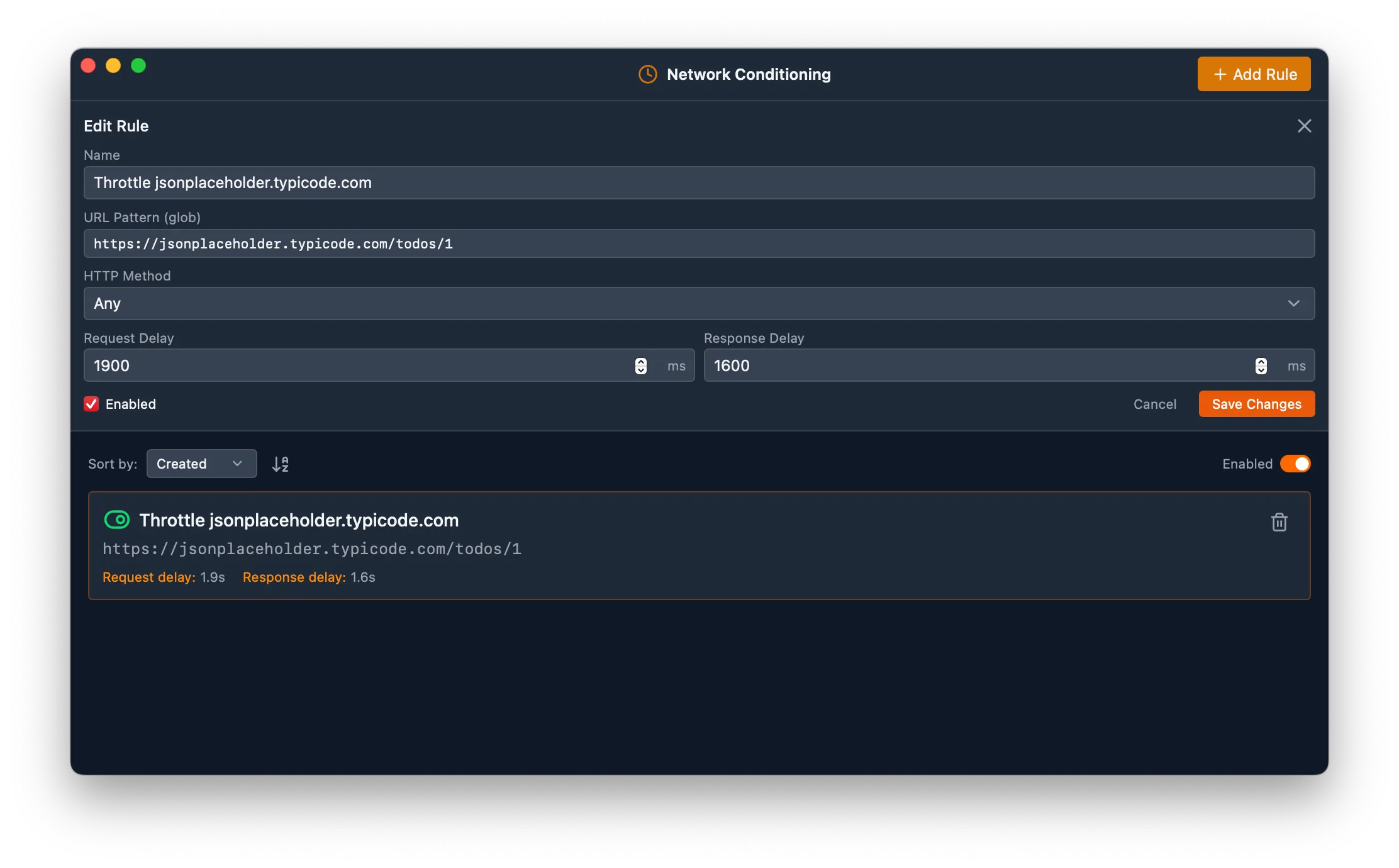
Fill in the rule details:
- Name — a descriptive label (e.g., “Slow API”)
- URL Pattern — a glob pattern to match URLs (e.g.,
https://api.example.com/*) - Method — optionally restrict to a specific HTTP method (GET, POST, PUT, etc.), or leave as “Any” to match all methods
- Request Delay — milliseconds to delay before sending the request (e.g.,
500) - Response Delay — milliseconds to delay before delivering the response (e.g.,
500)
-
Enable the rule
Managing Rules
Section titled “Managing Rules”- Toggle individual rules on or off using the toggle switch next to each rule
- Toggle all rules at once using the global enable/disable button
- Sort rules by name, creation date, or last updated date
- Edit or delete rules at any time
When multiple rules match the same request, the oldest rule (earliest creation date) takes priority.
Example Configurations
Section titled “Example Configurations”Here are some common delay values for simulating different conditions:
| Scenario | Request Delay | Response Delay |
|---|---|---|
| Slow API response | 0 ms | 2000 ms |
| High-latency connection | 500 ms | 500 ms |
| Slow upload | 1000 ms | 0 ms |
| Very slow mobile | 1500 ms | 3000 ms |
Use Cases
Section titled “Use Cases”- Performance testing — verify your app loads acceptably when APIs are slow
- Loading state testing — ensure loading spinners and skeletons display correctly
- Timeout testing — verify timeout handling with high-latency conditions
- Race condition debugging — slow down specific requests to expose timing issues
- Mobile simulation — approximate slow mobile network conditions on desktop