
Diff Requests
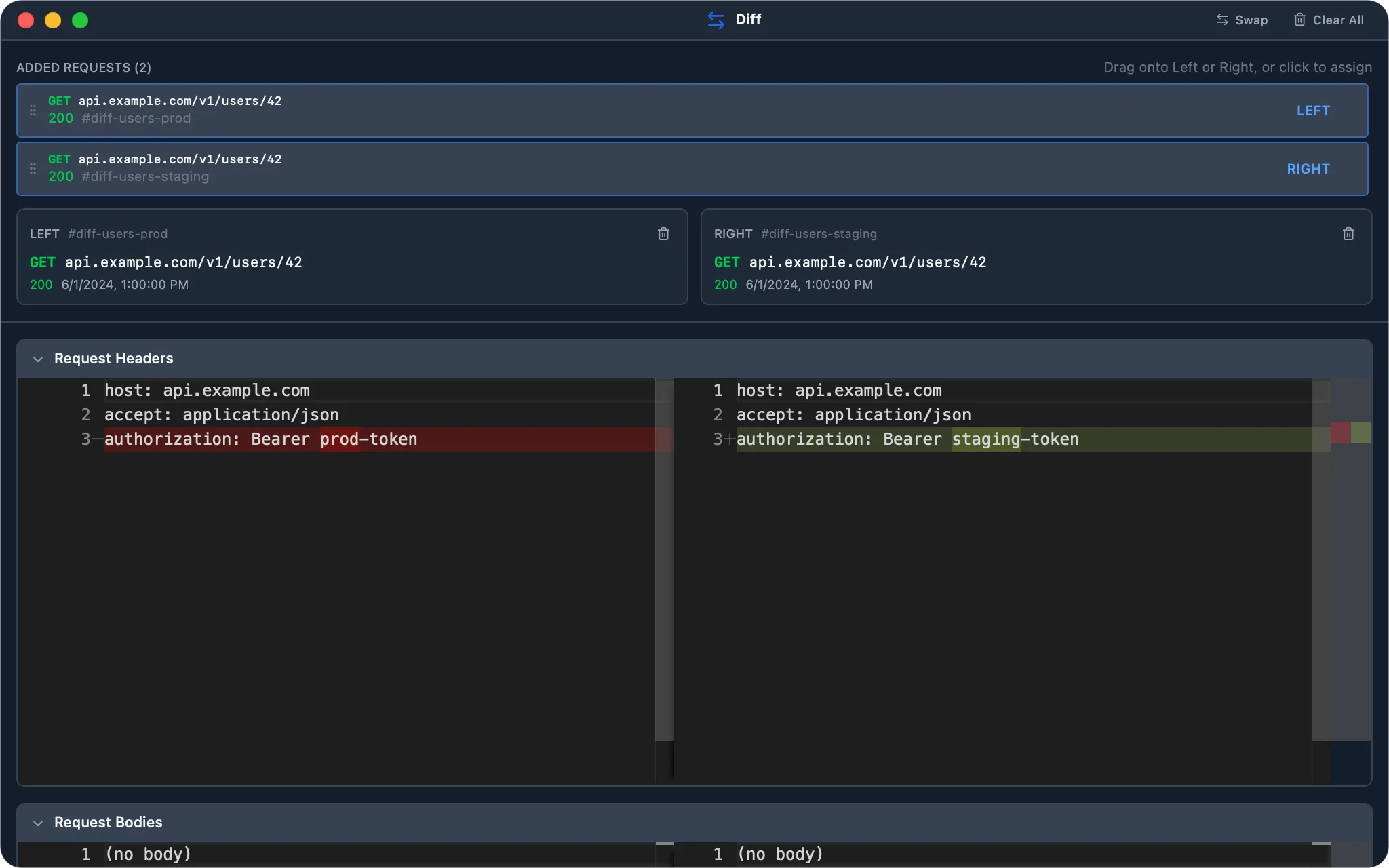
Diff Requests lets you compare two captured requests side by side. It’s the fastest way to pinpoint why a request succeeded in one environment but failed in another, or why a retry behaved differently from the original.
How It Works
Section titled “How It Works”Each side of the diff holds one captured request. WePROXA pairs the two and renders a four-part diff:
- Request headers — added, removed, and changed headers
- Request body — payload differences (JSON is pretty-printed automatically)
- Response headers — differences in the server’s response metadata
- Response body — differences in the response payload
The diff editor uses the same engine as Monaco, with side-by-side rendering, syntax highlighting, and the ability to collapse any section you don’t care about.
Selecting Requests to Compare
Section titled “Selecting Requests to Compare”- Right-click a request in the request list
- Select Add to Diff…
- Repeat for the second request
- Open the Diff tool from the toolbar (or press
⌘ ⇧ D)
The Diff panel can be used inline (as a detail view) or opened in its own window — useful for comparing on a second monitor while you keep capturing traffic.
Added requests appear in a pool at the top of the Diff panel, each showing its method and request URL — longer URLs wrap instead of being cut off, so you can tell similar requests apart. Click a pooled request to assign it to a side, or drag it into the Left or Right slot. You can keep more than two requests in the pool, swap the active left/right selection, remove a single pooled request, clear either side, or clear the whole pool.
Use the swap button to flip left and right, or the trash icon to clear either side. Detached Diff windows include the same swap and clear controls in their title bar.
Content Handling
Section titled “Content Handling”- JSON bodies are pretty-printed before diffing, so re-ordered or re-indented JSON does not show spurious changes.
- Binary bodies (images, fonts, WASM, etc.) are represented as
(binary data: N bytes)so the diff remains readable. - Decompressed response bodies are diffed — you compare the logical payload, not the gzip/brotli envelope.
- The language for syntax highlighting is inferred from
Content-Typewhen available.
Use Cases
Section titled “Use Cases”- Reproduce a regression by diffing a known-good request against the failing one.
- Compare staging and production responses for the same endpoint.
- Audit what changed after you edited a request with Breakpoints or re-sent it with Repeat Requests.
- Verify that a Map Local rule produced the exact response you expected.
- Requests can come from any source — live capture, repeated requests, or even different apps — as long as they appear in the request list.
- Keep several candidates in the request pool while narrowing down the two captures you want to compare.
- Collapse sections you’re not interested in to focus the diff on headers or bodies only.
- Combine Diff with the Advanced Filtering query builder to quickly locate the two requests you want to compare among thousands of captured entries.